
SU WEB AGENCY BLOG
Why Web Apps Are Awesome: No Installs, Every Device, One Update
Nothing to download, works anywhere there is a browser, and every user gets the latest version the next time they open it. Here is why we build web apps.
By SU Web Agency · October 29, 2026 · 6 min read
TL;DR
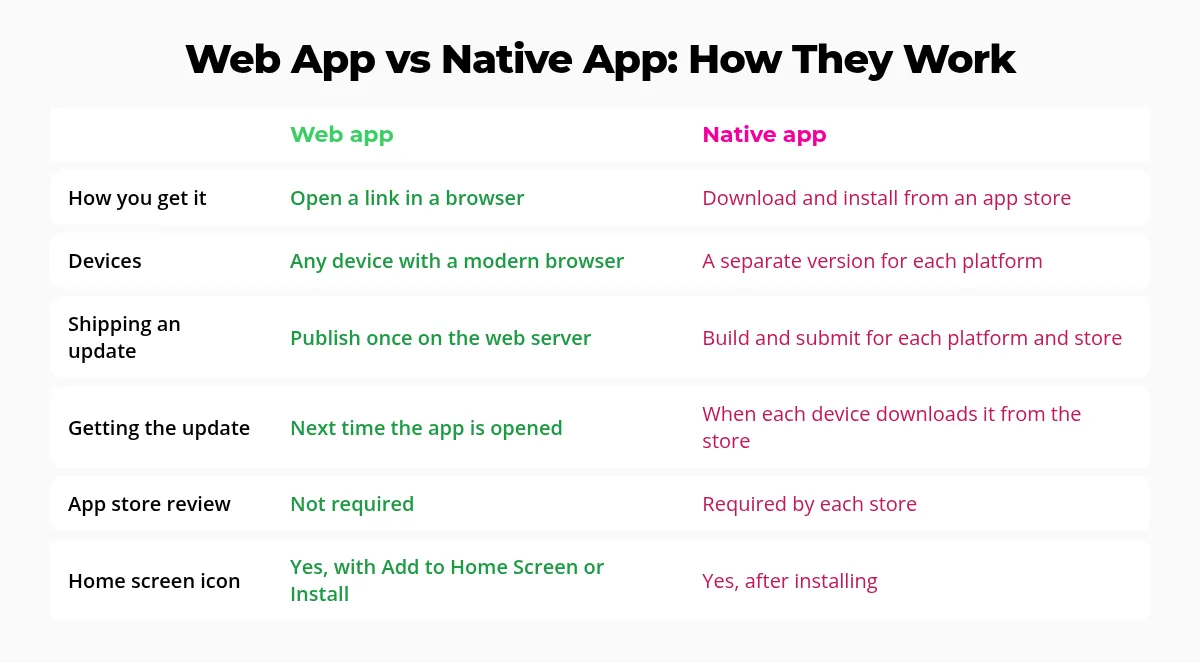
A web app runs in the browser, so there is nothing to install. The same app works on a phone, tablet, laptop or desktop. When it is updated, there is one release instead of separate builds for each platform and app store, and everyone gets the new version the next time they open it. You can still add it to your home screen or desktop so it opens like an installed app.
When people picture an "app," they usually picture an app store: search, download, wait, sign in, and then update it again next week. A web app skips most of that. It is an app you open at a web address, and modern browsers can install it to your home screen or desktop so it looks and feels like any other app. Google's web.dev guide to Progressive Web Apps (opens in a new tab) covers the technology behind it.
We build web apps for our own projects and for clients, and four things keep winning us over.
1. Nothing to install
With a web app, a link is the whole install process. Someone taps a link in a text, an email or a QR code, and the app opens. There is no app store search, no download progress bar and no "not enough storage" message.
That matters more than it sounds. Every extra step between "I heard about this" and "I am using it" is a chance for someone to give up. Removing the install step makes it easier for customers, members or employees to actually get started.
Share it with a link
Send a URL or print a QR code. Anyone who opens it is using the app a second later.
Nothing taking up space
Users are not asked to download a large package just to try something out.
2. Works on every device with just a browser
iPhone, Android, iPad, Windows, Mac, Chromebook: if it has a modern browser, it can run the app. You build one responsive app that adapts to the screen in front of it, instead of separate apps for each operating system.
It also means people can switch devices without missing a beat. Start something on a phone, finish it on a laptop, and it is the same app with the same account.
3. One smooth update instead of many releases
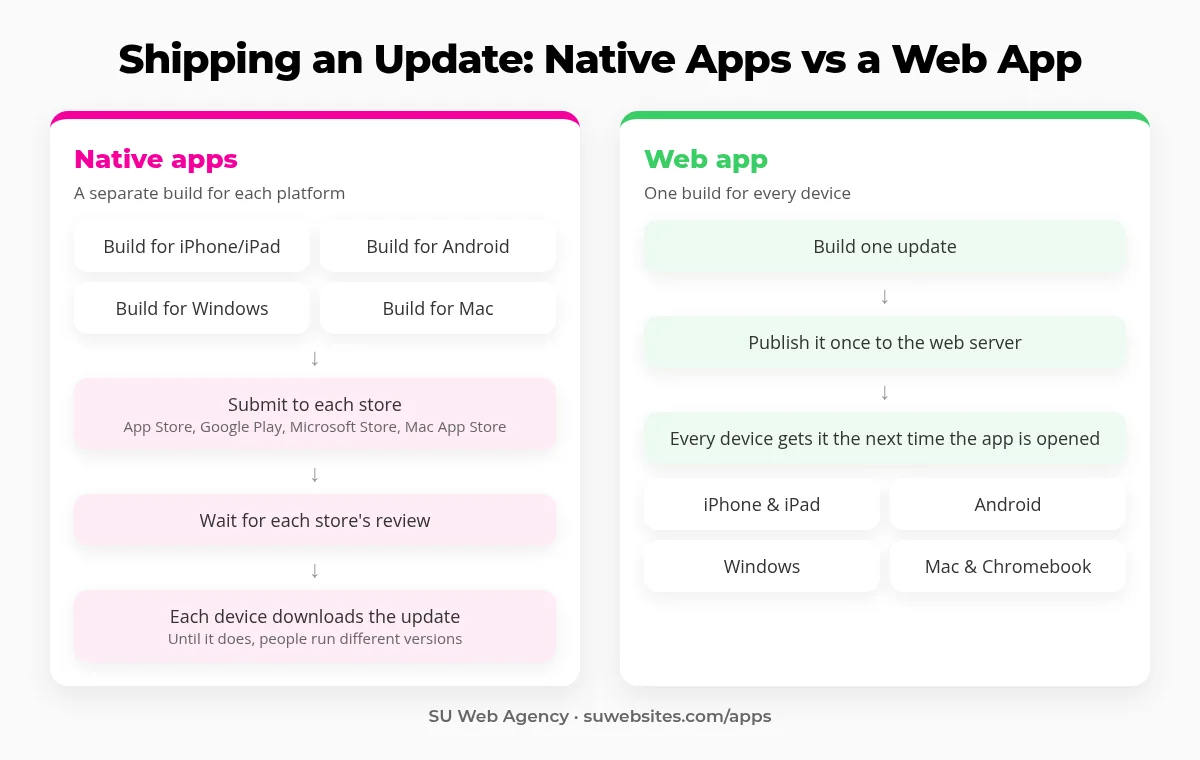
This is our favorite part. With native apps, an update usually means building a version for each platform, submitting each one to its app store, waiting for app review (opens in a new tab), and then waiting again for every device to download it. Until that happens, different people are running different versions.
With a web app, we publish the update once, on the web. The next time anyone opens the app, on any device, they get the latest version. No store submissions, no "please update your app" messages, and no supporting old versions for months.
Why it matters for a business: fixes and new features reach everyone at once, so your team and customers are always on the same version.
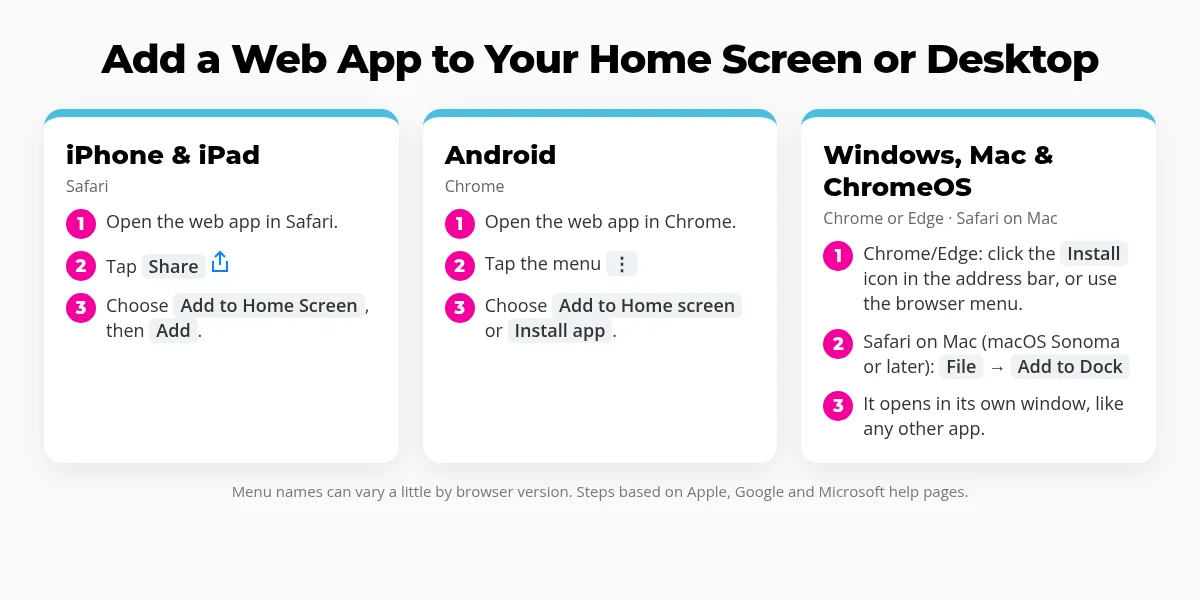
4. Add it to your home screen, just like an app
A web app does not have to live in a browser tab. You can add it to your phone's home screen or install it on your computer, and it gets its own icon. Many web apps then open in their own window without the browser bar, so it feels like an installed app.
iPhone and iPad (Safari)
Tap the Share button, then Add to Home Screen. Apple explains it in Turn a website into an app in Safari on iPhone (opens in a new tab).
Android (Chrome)
Tap the ⋮ menu, then Add to Home screen or Install app, depending on the site.
Windows, Mac and ChromeOS (Chrome or Edge)
Click the Install icon in the address bar. See Google Chrome Help (opens in a new tab) and Microsoft Edge docs (opens in a new tab).
Mac (Safari)
Choose File > Add to Dock to make a Safari web app. Apple covers it in Use Safari web apps on Mac (opens in a new tab).
Web apps we have built
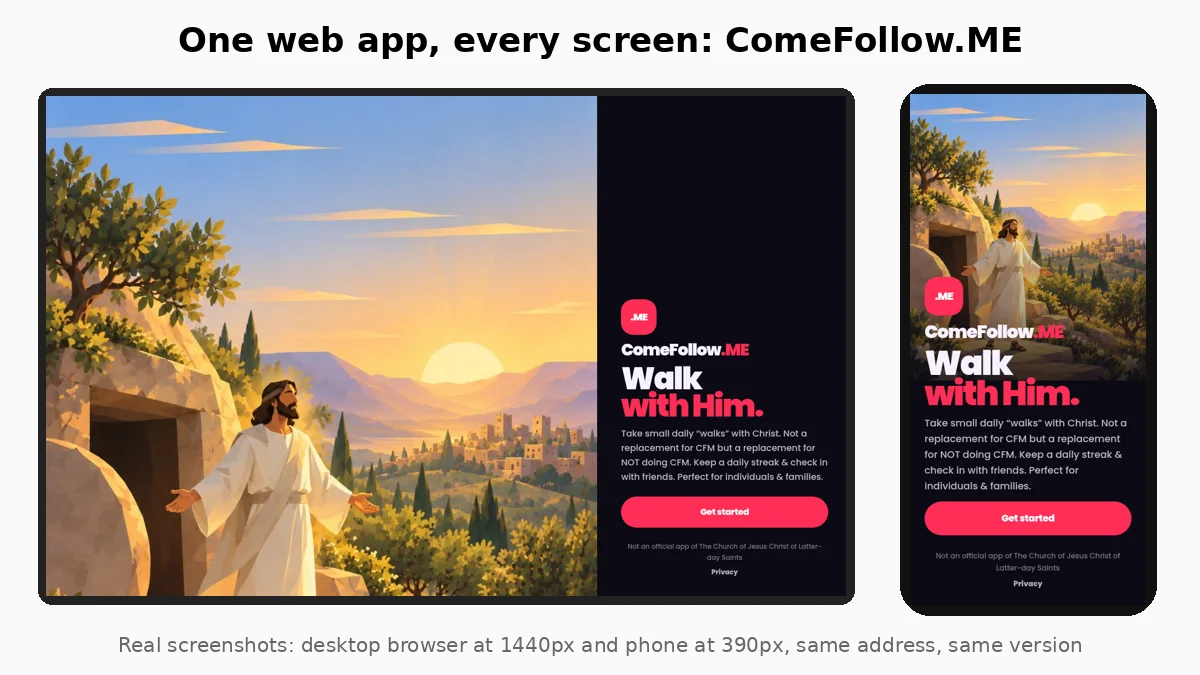
We practice what we preach. Our own apps, like ComeFollow.ME and B2Bsales.app, are web apps: one link, every device, and every update reaches everyone at once. You can see them all on our Apps page.
Thinking about an app for your business, team or community? A web app is often the fastest, simplest way to get it into people's hands, and we can build it and keep it hosted and updated for you.
Web apps: FAQ
What is a web app?
A web app is an app that runs in a web browser. You open it at a web address, and on most devices you can also add it to your home screen or desktop so it opens like an installed app.
Do I need to download a web app from an app store?
No. You open it with a link. If you want an icon, you can add it to your home screen or install it from the browser.
How do web app updates work?
The update is published once on the web. The next time someone opens the app, on any device, they get the latest version.
Can a web app go on my iPhone home screen?
Yes. In Safari, tap Share, then Add to Home Screen. Android, Windows, Mac and ChromeOS have similar options in Chrome, Edge and Safari.
Can SU Web Agency build a web app for my business?
Yes. We design, build, host and maintain web apps. Take a look at our Apps page, then request a quote to talk about your idea.
Have an app idea?
Tell us what you want it to do. We will give you honest advice on whether a web app is the right fit, plus upfront pricing.
