Key takeaways
- Small and mid-size towns, counties and special districts now have until April 26, 2028 to meet WCAG 2.1 AA under the DOJ's Title II rule. Governments with 50,000 or more people have until April 26, 2027.
- For private businesses, the risk comes from lawsuits. Seyfarth Shaw counted 3,117 federal website accessibility lawsuits in 2025, up 27%.
- Installing an accessibility widget or "overlay" doesn't stop lawsuits. More than 1,400 suits in 2025 named companies that used one.
- Lasting fixes happen in your site's actual code, content, colors and documents, and that work needs a web developer.
- Many brand color palettes fail contrast from day one. Usually you can fix that without losing your look.
If you run a small business or work in a town office, you've probably heard "ADA website compliance" and wondered whether it applies to you, what the deadline is, and whether a plugin can take care of it for you. Here's the plain-English version, with the sources linked so you can check everything yourself.
What is ADA website compliance?
The Americans with Disabilities Act (ADA) requires equal access for people with disabilities. Courts and the U.S. Department of Justice (DOJ) apply it to websites. Day to day, "compliance" means your site works for people who use screen readers, keyboard-only navigation, captions, magnification or high contrast. The technical yardstick almost everyone uses is the Web Content Accessibility Guidelines (WCAG) (opens in a new tab), Level AA.
The most common problems are not exotic. WebAIM's 2026 scan of the top one million home pages found detectable WCAG failures on 95.9% of them (opens in a new tab). The top six issues were low-contrast text, missing image alt text, missing form labels, empty links, empty buttons and a missing page language.
The risks: lawsuits and demand letters
- Federal lawsuits are rising again. Seyfarth Shaw counted 3,117 website accessibility lawsuits in federal court in 2025 (opens in a new tab), a 27% jump over 2024.
- State courts add more. UsableNet's 2025 year-end report (opens in a new tab) counted more than 5,000 digital accessibility lawsuits once New York and California state courts are included.
- Repeat targets are common. UsableNet also found over 1,400 cases filed against companies that had been sued before.
- Demand letters often come first. Many claims start as a letter asking for a settlement before anything is filed. Because letters are private, nobody publishes a reliable count, but the lawsuit numbers above give a sense of the pressure behind them.
Small businesses are not too small to be named. Courts look at whether real people can use your site, not how big your company is.
Laws and deadlines you should know
Title II: state and local governments
In 2024 the DOJ adopted its first rule setting a technical standard for government websites and mobile apps: WCAG 2.1 Level AA. On April 20, 2026, the DOJ extended the deadlines by one year (opens in a new tab):
| Who | Deadline |
|---|---|
| Governments with 50,000+ people | April 26, 2027 was April 24, 2026 |
| Governments under 50,000 people | April 26, 2028 was April 26, 2027 |
| Special district governments | April 26, 2028 was April 26, 2027 |
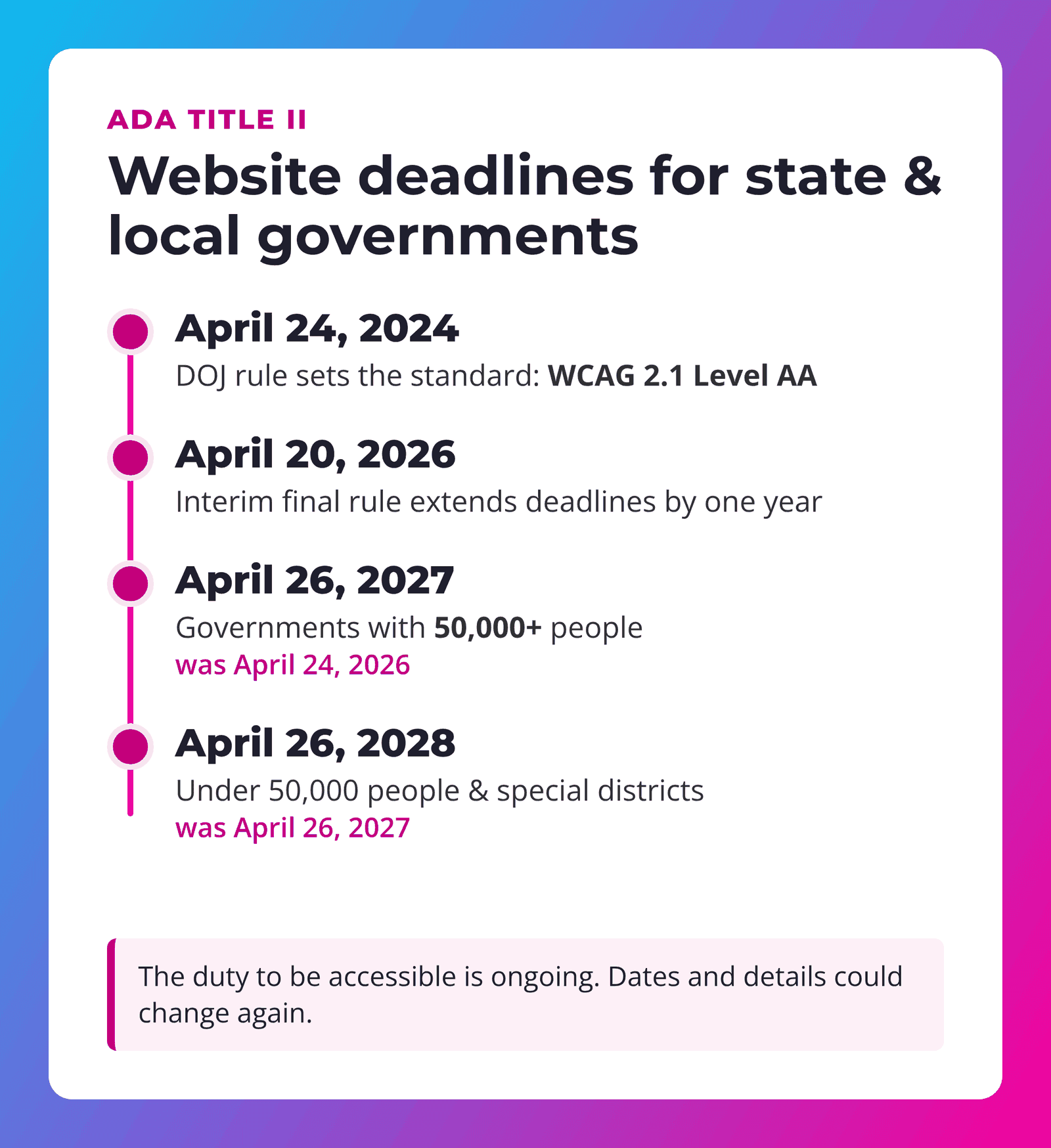
Two things town clerks should know. First, the DOJ says governments still have an ongoing duty to make their online services accessible regardless of these dates. Second, the DOJ may propose changes to the rule's details during the extension, so dates and details could move again. The ADA.gov fact sheet (opens in a new tab) keeps the current version.
Title III: private businesses
There is no DOJ technical rule for private business websites yet. In practice the standard is set by lawsuits and settlements, which nearly always point to WCAG 2.1 or 2.2 AA.
State laws (Colorado example)
States are adding their own rules. Colorado's HB21-1110 required public entities to fully comply starting July 1, 2025 (opens in a new tab), with statutory fines of $3,500 per violation. Its 2025 rule changes (opens in a new tab) also recognize an accessibility statement, a clear way to report problems, and a published plan showing progress.
WCAG 2.2 and WCAG 3.0
WCAG 2.2 (opens in a new tab) is the current version and adds a few requirements, like larger tap targets and visible keyboard focus. Building to 2.2 also covers 2.1. WCAG 3.0 (opens in a new tab) is still an early draft and is several years from final, and the W3C says WCAG 2 will stay in use long after that.
"The deadline moved. The duty to be accessible didn't."
Do accessibility plugins and overlays work?
There are two kinds of tools, and they do very different jobs.
Checker plugins (helpful)
WordPress plugins that scan your pages and list problems are genuinely useful. They catch things like missing alt text and low contrast quickly. But every automated tool has limits. WebAIM states plainly that not all conformance failures can be automatically detected (opens in a new tab). A clean scan isn't proof your site is accessible, and a checker only finds problems. Someone still has to fix them. SUWEB Access scans and scores for free, and with a license it also fixes issues in your actual pages.
Overlays and widgets (a mask)
Overlays add a toolbar or script that tries to patch the page in the visitor's browser after it loads. The underlying code stays the same. Some of these tools have been marketed as instant compliance, and regulators have noticed:
- In April 2025 the Federal Trade Commission approved a final order requiring accessiBe to pay $1 million (opens in a new tab). The order bars the company from claiming its automated product can make any website WCAG-compliant, or keep it compliant, unless it has evidence to back that up. It also addresses reviews that looked independent but weren't, according to the FTC.
- UsableNet counted more than 1,400 lawsuits in 2025 against companies that were already using accessibility widgets.
- EcomBack's 2025 report (opens in a new tab) found about 25% of the website lawsuits it tracked (983 of 3,948) involved sites with a widget installed.
- Hundreds of accessibility professionals have signed the Overlay Fact Sheet (opens in a new tab) urging site owners not to rely on overlays.
To be fair, a widget being on a sued site doesn't prove the widget caused the suit, and some vendors also sell real auditing and remediation services. But the data is clear that a widget alone hasn't kept businesses out of court.
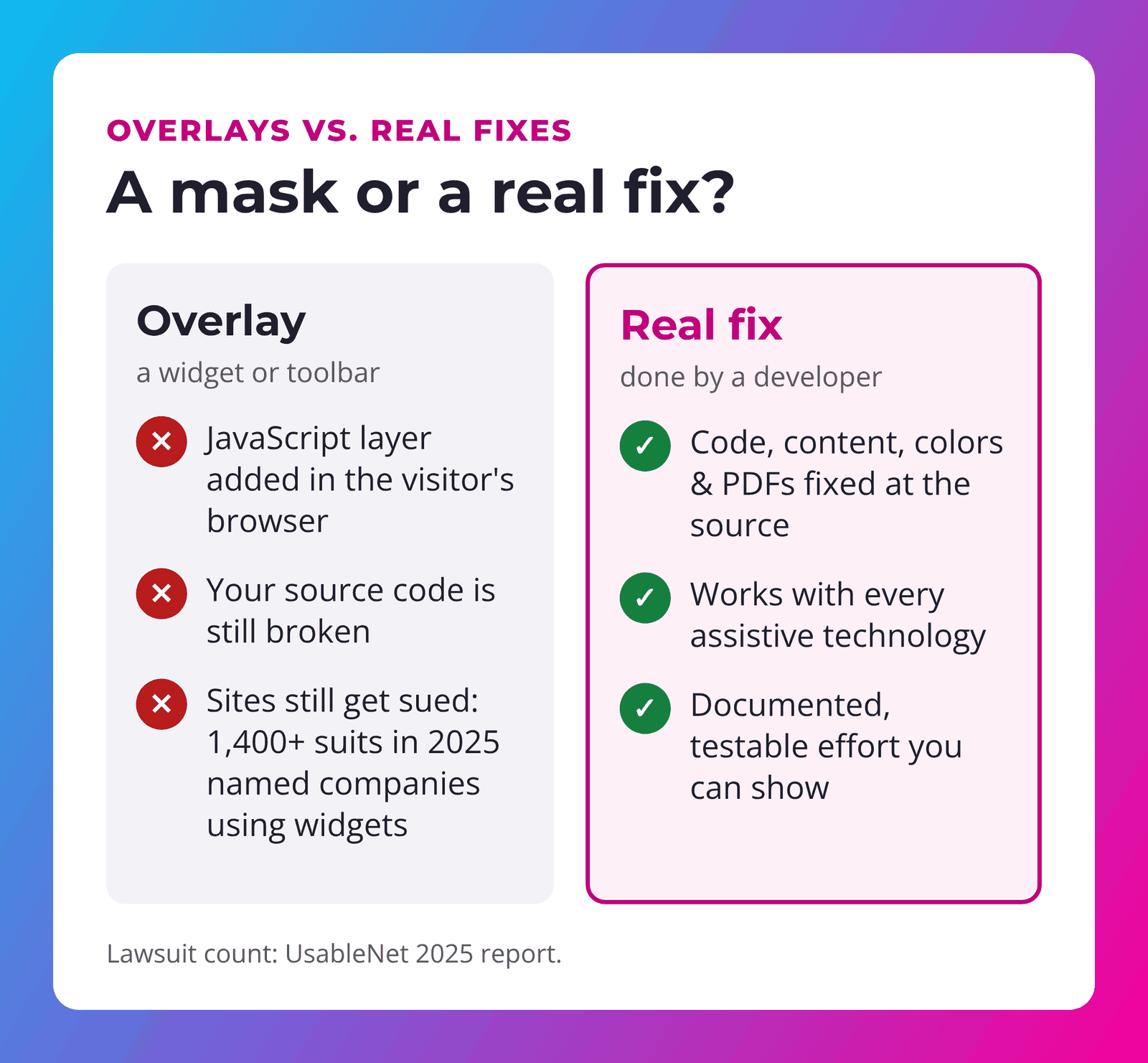
Bottom line: scanners find problems, and overlays paint over them. Only changes to your actual site fix them.
That’s why we built SUWEB Access: a WordPress plugin that scans against WCAG 2.1 AA, applies safe source fixes you approve (including Divi Mode), and can watch for regressions every week. It does not claim compliance — it helps you fix the site you already have.
Why you need a web developer to fix the source
Real accessibility fixes live in your theme, page builder, content and files:
- Images: meaningful alt text written by someone who knows what the image is for.
- Structure: headings in the right order, so screen-reader users can skim a page.
- Forms: real labels, clear error messages and keyboard-friendly fields on contact and payment forms.
- Menus and buttons: work with a keyboard, show visible focus and have names a screen reader can read.
- PDFs and documents: agendas, minutes and permit forms need tags and reading order, or an accessible web-page version. This is a big one for town sites.
- Video: accurate captions, not just auto-captions nobody checked.
- Colors: text that passes contrast everywhere, including over photos.
A developer can make these changes once, in the template, so they carry across every page. They can also keep them in place as plugins update and new content gets added. That ongoing part is why we fold accessibility checks into our Service Plans.
Your brand colors might be out of compliance on day one
Here's one most people never hear about. Many web and graphic designers, including talented ones who build beautiful branding packages, pick colors and fonts based on how they look. They don't check whether the colors can be read. Light gray body text, thin fonts, white text on a bright color and text over busy photos all look sleek in a mockup. They can also fail WCAG before your site even launches. Low-contrast text is the #1 issue WebAIM finds, on 83.9% of home pages (opens in a new tab).
Contrast ratios, simply explained
Contrast ratio compares how light the text is to how light the background is, on a scale from 1:1 (identical) to 21:1 (black on white). WCAG AA asks for:
- 4.5:1 for normal body text
- 3:1 for large text (about 24px, or 18.5px bold) and for icons and button borders
Notice the last pair: the bright pink still passes the 3:1 bar for big headlines and buttons. A slightly deeper shade of the same pink handles small text. Your brand doesn't have to change, just how each shade is used.
Brand-preserving fixes
- Keep the bright color for big things (headlines, buttons, icons, backgrounds with dark text). Use a slightly deeper "text" shade for links and small type.
- Darken the gray. Most "too light" body text passes after a small nudge darker.
- Flip it. If white text on your color fails, dark text on that color often passes.
- Add a shade behind text on photos with a semi-transparent overlay, so the photo stays and the words become readable.
- Use sturdier font weights. Thin, light fonts make contrast worse. Regular or medium weights read better at small sizes.
- Write it into your brand guide. List approved color pairs and their ratios so every future flyer, social post and web page starts accessible.
On WordPress sites, SUWEB Access includes brand-safe contrast fixes that adjust shades instead of throwing out your colors.
A simple plan for town offices and small businesses
- Get a baseline review combining automated scans and manual checks (keyboard, screen reader, forms, documents).
- Fix the big, site-wide issues first: templates, menus, colors and forms.
- Triage documents: fix what people use, convert key PDFs to web pages and clearly label archived files.
- Publish an accessibility statement with a way to report problems.
- Monitor regularly, because new pages, plugins and uploads can bring problems back.
Get a head start with SUWEB Access
Running WordPress? SUWEB Access gives you a free scan and accessibility score, with suggestions you can fix by hand. A $99 single-site license adds auto-fixes made at the source (not an overlay), brand-safe contrast fixes and optional weekly monitoring, so problems don't creep back. Want us to handle it? Request help or add it to one of our Service Plans.
Frequently asked questions
Does the ADA apply to small business websites?
Businesses open to the public are covered by Title III, and courts have applied it to websites. Unlike the ADA's employment rules, Title III has no size cutoff for businesses open to the public. Ask your attorney how it applies to you.
When is the Title II web accessibility deadline?
As of the DOJ's April 2026 extension: April 26, 2027 for state and local governments with 50,000 or more people, and April 26, 2028 for those under 50,000 and special districts. The standard is WCAG 2.1 AA.
Will an accessibility plugin or overlay protect me from a lawsuit?
No tool can guarantee that. Checker plugins help you find problems. Overlays don't change your underlying code, and over 1,400 lawsuits in 2025 named companies that used widgets.
Should we build to WCAG 2.1 or 2.2?
WCAG 2.1 AA is what the Title II rule names. Building to 2.2 AA covers 2.1 and gets you ready for what's next.
Do PDFs on our website count?
Generally yes. Documents you post for the public are part of your web content, though the Title II rule has limited exceptions, such as certain archived content. The ADA.gov fact sheet (opens in a new tab) explains them.
Can I keep my brand colors?
Usually, yes. Most fixes are small shade adjustments or changes to where a color is used, not a rebrand.
Want to know where your site stands?
SU Web Agency has built and cared for websites since 2010. We'll review your site, documents and brand colors, then fix the issues in your actual code, not with a mask.
Request an accessibility review
Prefer to scan and fix yourself? Try SUWEB Access — free to scan, with licensed source fixes, brand-safe contrast and weekly monitoring. Or see our Service Plans for hands-on agency care.
Not legal advice: This article is general information, not legal advice, and it doesn't guarantee compliance with any law. Laws and deadlines can change, so talk with a qualified attorney about your situation. Figures are from the sources linked, as of November 2026.
