
SU WEB AGENCY BLOG
A Day in the Life of a Web Designer Using AI to Build a Website
The first draft took less than an hour. Getting it right took the rest of the day. Here is what building a website with AI really looks like.
By SU Web Agency · Published October 27, 2026 · Updated October 27, 2026 · 7 min read
TL;DR
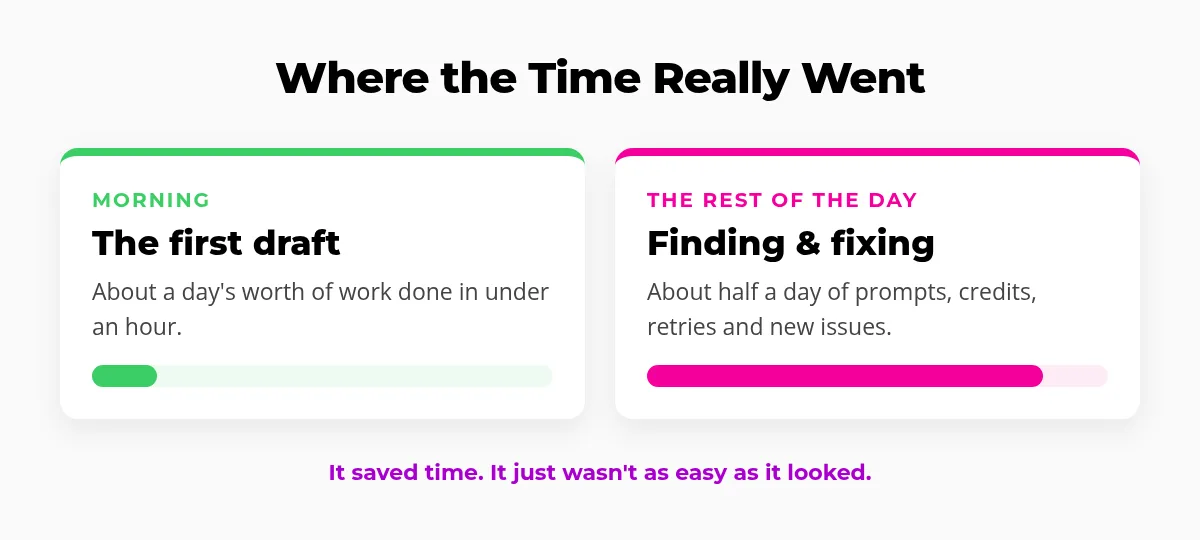
Using AI to build a website, our first draft took under an hour, work that would normally take about a day. Then we spent roughly half a day finding problems and fixing them with more prompts and credits. Many fixes took several tries, and some created new issues. AI saved real time, but it was not as easy as it first looked. The best results come from AI working inside a real builder like Divi, guided by a professional who also handles hosting, updates and support.
There is a lot of hype about using AI to build a website. Type a few sentences, wait a minute, and a site appears. We wanted to see what that looks like on a normal workday, so here is an honest look at a day in the life of a web designer and developer building a website with AI.
In our last post we covered the AI website design pros and cons. This one is the story behind it: what went fast, what went sideways, and what it means if you are thinking about an AI-built website for your business.
Morning: the AI first draft was fast
The day started the way most AI website demos do. We described the business, the pages it needed, the style and the audience, and let the AI go to work.
Honestly, the first draft was impressive. In under an hour we had pages, sections, starter copy and a layout to react to. Work that would normally fill a full day of setting up pages and building sections was sitting there ready to review.
What went right
Page structure, a starting layout, placeholder text and a general visual direction came together quickly. It is a great way to get past the blank screen.
Where it stopped
A first draft is not a finished website. Looking closer, we started finding the details that separate "looks done" from "is done."
Afternoon: finding and fixing AI website issues
This is where the day changed. We spent about half a day finding issues and fixing them. Here is what that looked like:
Testing every screen size
A layout that looks great on desktop can break on a phone or tablet. We had to check every page at every size, and fix what we found.
Fixing with prompts and credits
Each fix meant writing another prompt, waiting, checking the result and spending more credits. Small tweaks were not always small.
Fixes that took several tries
Many fixes did not land on the first attempt. We had to explain the problem a different way, or break it into smaller steps.
Fixes that broke something else
Some changes caused new issues somewhere else on the page or site, so every fix had to be tested again.
What building a website with AI taught us
By the end of the day, the site was in good shape. Did AI save time? Yes. Was it as easy as the first hour made it seem? Not even close. A few lessons stood out:
- The first draft is the easy part. The real work is reviewing, testing and polishing.
- You have to know what "right" looks like. AI does not always notice its own mistakes. Someone has to spot them, explain them clearly and confirm they are actually fixed.
- Fixes cost time and credits. Every retry adds up, especially when one fix creates another problem.
- Experience is the shortcut. Knowing how websites work makes it much faster to describe the problem and judge the result.
The honest takeaway: AI is a powerful tool for a web designer, not a replacement for one. It speeds up the work, but quality still depends on the person guiding it.
Why AI should build with real builders like Divi
One of the biggest lessons from the day: where the AI builds matters. Some AI tools generate custom code or lock your site into their own platform. That can look fine on day one and become a headache the first time you need a change.
When AI works inside a real, established builder like Divi on WordPress, you get:
- A site you can edit visually, without digging through code for every small change.
- Standard, well-supported building blocks instead of one-off code that only the AI understands.
- Room to grow, with a huge ecosystem of themes, plugins and support around it.
- No lock-in, because your site lives on hosting you control.
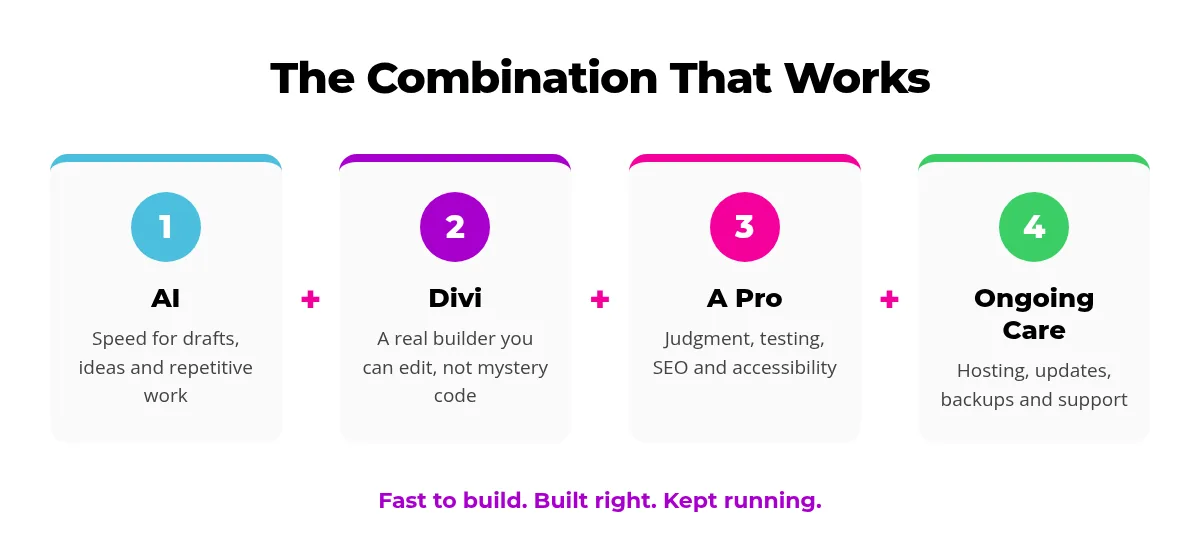
That is why our AI-assisted builds use Divi and native Divi modules. AI handles the speed, and the result is a normal website that any Divi designer, or you, can update later.
Why a professional web designer still matters
Even with a great AI-assisted draft, a website is not "set it and forget it." Here is where a pro keeps adding value:
Hosting done right
A website needs a fast, secure place to live. Our managed website hosting includes the setup and care most AI tools leave to you.
Updates and security
WordPress, themes and plugins need regular updates. The WordPress documentation explains why, and we handle it, with backups first.
SEO and quality
Clean headings, fast pages and helpful content matter. Google's guidance on creating helpful content is a good read, and our SEO services put it into practice.
A real person to call
When something breaks, you need someone who knows your site. That is what a professional web design team gives you long after launch.
A full IT background, not just design
SU Web Agency has a full IT background: software, hardware, servers, domains and hosting. That means when a website problem is really a DNS record, an email setting, a server issue or a plugin conflict, one team can find it and fix it, in plain English. We also build our own tools and apps, which you can see on our Apps page.
Building a website with AI: FAQ
Can AI build a whole website?
AI can build a solid first draft quickly. In our experience, it still takes a person to find and fix issues, test every screen size and get the details right before launch.
How long does it take to build a website with AI?
Our first draft took under an hour, which would normally be about a day of work. Finding and fixing issues afterward took about half a day more.
Why use Divi instead of AI-generated code?
Divi is an established visual builder, so the finished site is easy to edit, well supported and not locked into one AI tool.
Do I still need a web designer if I use AI?
For a site your business depends on, yes. A designer guides the AI, catches its mistakes, and handles hosting, updates, security and support.
Does SU Web Agency use AI?
Yes. We use AI to speed up our work, then build in Divi and review everything by hand, backed by our full IT background.
Want the speed of AI without the headaches?
Let a real web team build your site with AI and Divi, then keep it hosted, updated and running. Tell us about your project and get honest advice and upfront pricing.
